
Featured Enhancements
Added a “Billing” built-in reporting section with appropriate drilldowns, under Administration > Reporting > Billing.
Added a list to the Check Memo field on the Deposit screen that includes active garnishees when the opponent has garnishments.
Interested in taking credit card and ACH payments? Contact us for more information.
Case File
- Accounts:
- New company setting that allows the Vehicle Make field on the Accounts screen to be converted from a dropdown to a free-form text field when the Vehicle Data box is checked in the Account Type setup (must be enabled by a CMP administrator).
- Guardianship:
- Added and reorganized fields to the Guardianship screen if enabled within the Case Type.
- Documents:
- Enhanced logic to prevent users from double-clicking the “SAVE” button when sending a merged document to Imaging.
- Financial > Checks:
- Added the “Opp #” column as an optional column visible within the “Checks” grid.
Tools
- Data Import > Excel Placements:
- Updated the Excel Placements import logic to merge columns mapped to “Activity Note” into a single activity note when the case file is created.
Accounting
- Billing > Open Bills:
- Added logic to speed up the load time for the “Open Bills” grid.
Administration
- Batch Programs:
- Added option to “Attempt to use prior Closure Reason” when Batch Closing files, under Administration > Batch Programs > Close Files.
- Enhanced ability to initiate SMS campaigns to Clients or Outside Counsel if an SMS phone number is configured for the firm based on a Custom Report’s results, under the Administration > Batch Programs > SMS Campaign (if the Enhanced Email Automation is enabled).
- Enhanced ability to initiate email campaigns to Clients or Outside Counsel based on a Custom Report’s results, under the Administration > Batch Programs > Email Campaign.
- Reporting > Billing by Date Range:
- New “Billing by Date Range” built-in reporting section with appropriate drilldowns.
- Setup:
- Company > Automations Tab:
- Added the ability to trigger Company Automations based on the Opponent / Debtor’s “Returned Mail” or “Summons Filed Date” fields being updated.
- New ability to automate emails to Clients and Outside Counsel via both Company Automations and “Nightly Automations”, (if the Enhanced Email Automation is enabled).
- Expanded the number of Client Codes allowed in the Company Automation setup via Limiting Factors to unlimited.
- Updated the Client Selection process within the Company Automations dialog to make it easier to select large groups of clients.
- Company > Automations Tab:
General
- Added the ability for CMP administrators to set “Login Messages” to be displayed on the CMPOnline Login screen.
- New “Branch” column to CMPFind’s “global” search results, if this field is enabled in the company setup.
- Added logic to force delete any previously deleted images that remain accessible in CMP’s “trashcan” feature after 6 months from the date of deletion, which runs during the login process.
- New logic to the PaymentVision CIF export to optionally include Open Client Invoices, so that firm users can take client payments through the PaymentVision admin portal (must be enabled by a CMP administrator).
Did You Know?
CMPOnline has all kinds of hidden secrets!
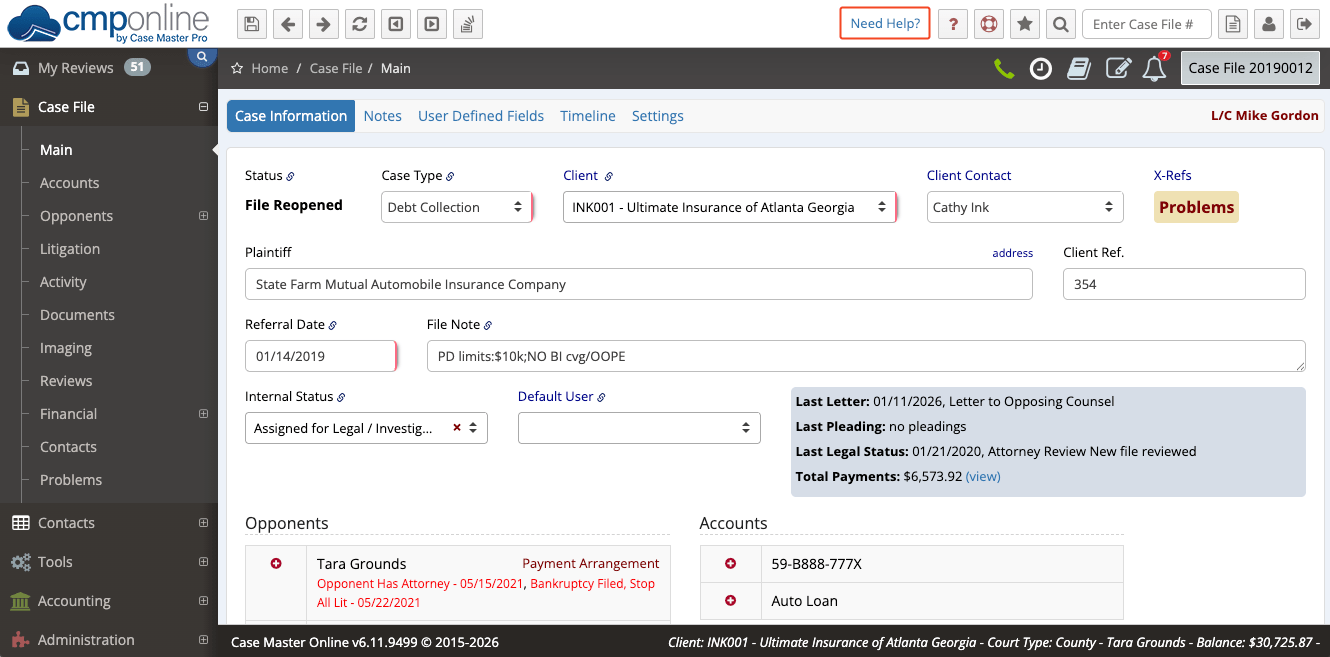
Need quick access to tutorials while working in CMPOnline? The Need Help? link in the top menu bar now directs you to our online Help Documentation portal. From there, you can easily search for the topic you need and find answers right when you need them. If you’re unable to find what you’re looking for, our CMP Support team is just a few clicks away.
Stay tuned for future tips about CMPOnline!