Legal Case Management

Streamlined Legal Case Management Designed for Law Firms

Case Master Pro offers comprehensive legal case management solutions designed specifically for law firms. With powerful tools to streamline workflow, organize case details, and manage client communications, CMPOnline helps legal professionals save time and improve efficiency. From document management and billing to task tracking and reporting, Case Master Pro provides a secure, cloud-based platform that supports every stage of the case lifecycle—making it an essential tool for firms of all sizes.

Main Case File Screen

In CMPOnline, the main case file screen is the primary starting point and facilitates the legal process by organizing and storing information specific to clients, opponents, accounts, and more.

Allowing you to dive further into CMPOnline’s powerful and intuitive screens, this interface provides the operator with powerful tools in an environment that enables users to maximize the ability to attain the most relevant data for each case file at a single glance.
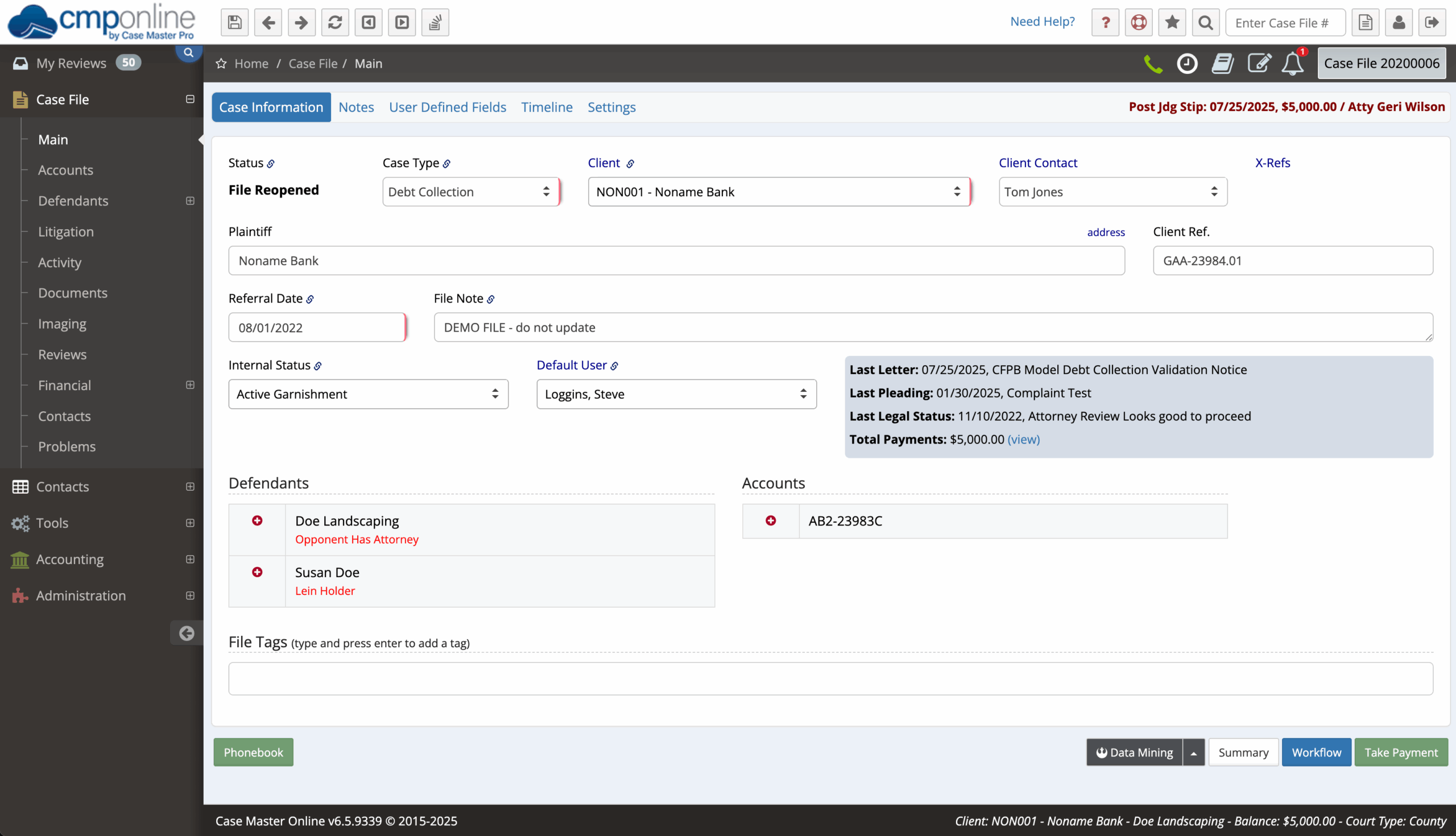
CMPOnline Legal Case Management Main Case File Screen
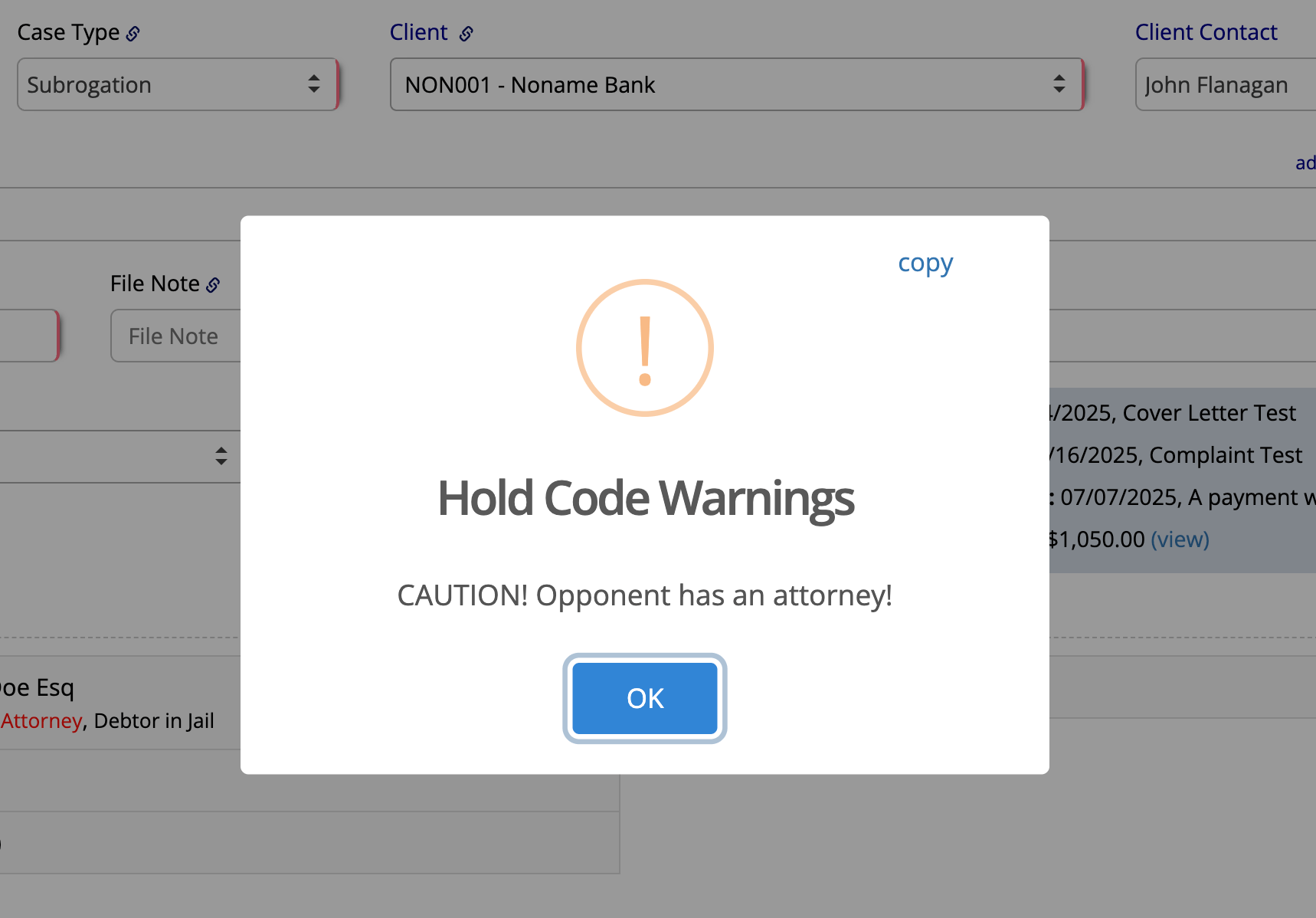
CMPOnline Legal Hold Codes Case Management

User Defined Case Types

User defined case types provide the flexibility needed to practice different types of law using just one system. We have optimized the contact screens for quick and efficient data recall, allowing users to contact opponents, sheriffs, clerks, judges, and more. Users can then set up payment plans, take incoming calls, help other users, and schedule follow up actions. With user-defined case types, only applicable fields appear for each type of case, thus allowing your firm to tailor many field labels to fit your needs.

Reviews and Tasks by User

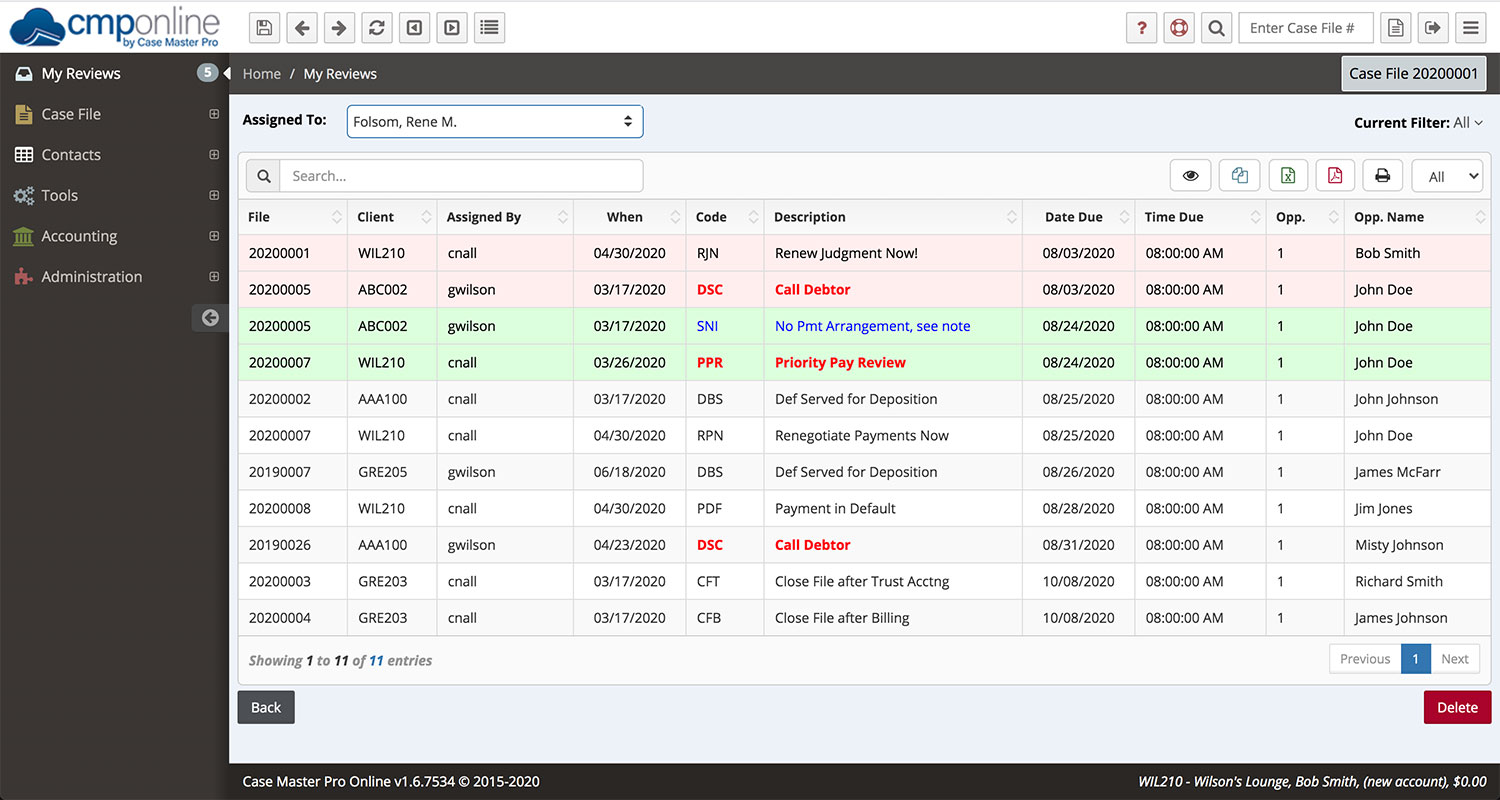
The review feature allows each user access to their daily work list and update or track progress on individual case files, which is the only way a collector, account operator, or lawyer can effectively manage the number of accounts necessary to be productive in today’s environment. Once they have their review list, a double click will access an account (based on security level) and they have instant access to all the relevant information about that case file. This allows the user to gain access to detailed account information so they can quickly make informed decisions about an account. It also acts as the control center whereby users can take action on the account by choosing from the advanced features easily and provides an environment that enables users to maximize the recovery ratio of each account.
CMPOnline Legal Tickler System and Law Firm User Diary for Tasks
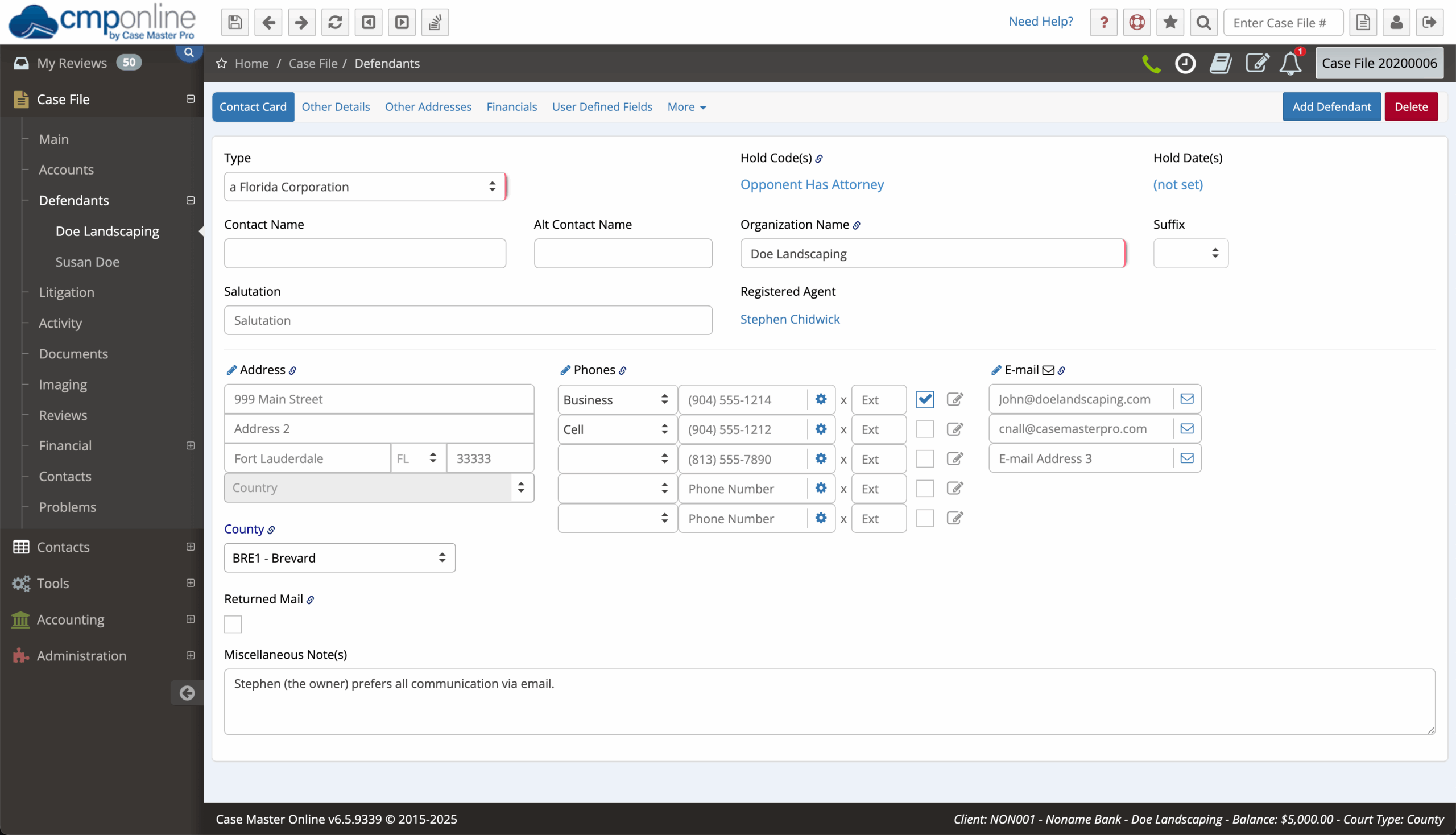
CMPOnline Legal Debtors and Defendants Managment and Tracking

Multiple Relationships

Each case file can have an unlimited number of opponents, addresses, and accounts. You can also track multiple addresses, phone numbers, notes, service, and trial results for each opponent. Review items are also opponent specific. This flexibility allows opponents to be tracked separately or together. Documents can also be generated for a specific opponent or for all opponents in the file. Use an advanced document feature like expressions and CMP will check for separate addresses or representation by an attorney and generate the document accordingly. Each file can also be assigned to multiple users for review and updating can occur at the same time to allow the staff and lawyer to review the case file separate or together at any time.

Comprehensive Tracking

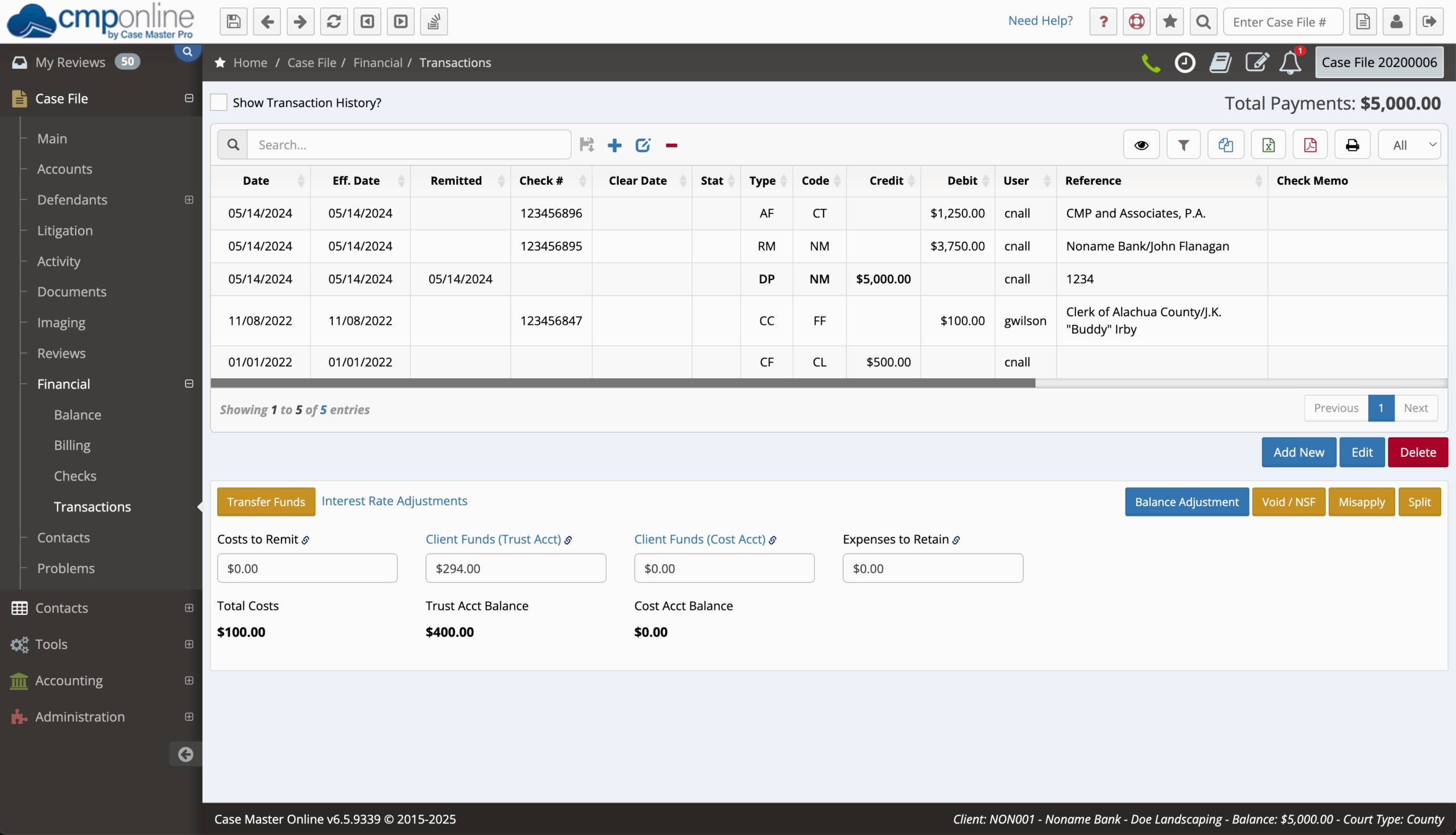
The comprehensive tracking of opponents, multiple accounts per opponent (with separate balance tracking), interest, check return fee, agency fees, legal fees, contact dates, notes, and auditing information is all available in the transaction screen to see what has happened at any time. Since each type of entry is identified, filtering for calls, payments, or other specific transactions is quick and easy.
CMPOnline Legal Transaction Tracking
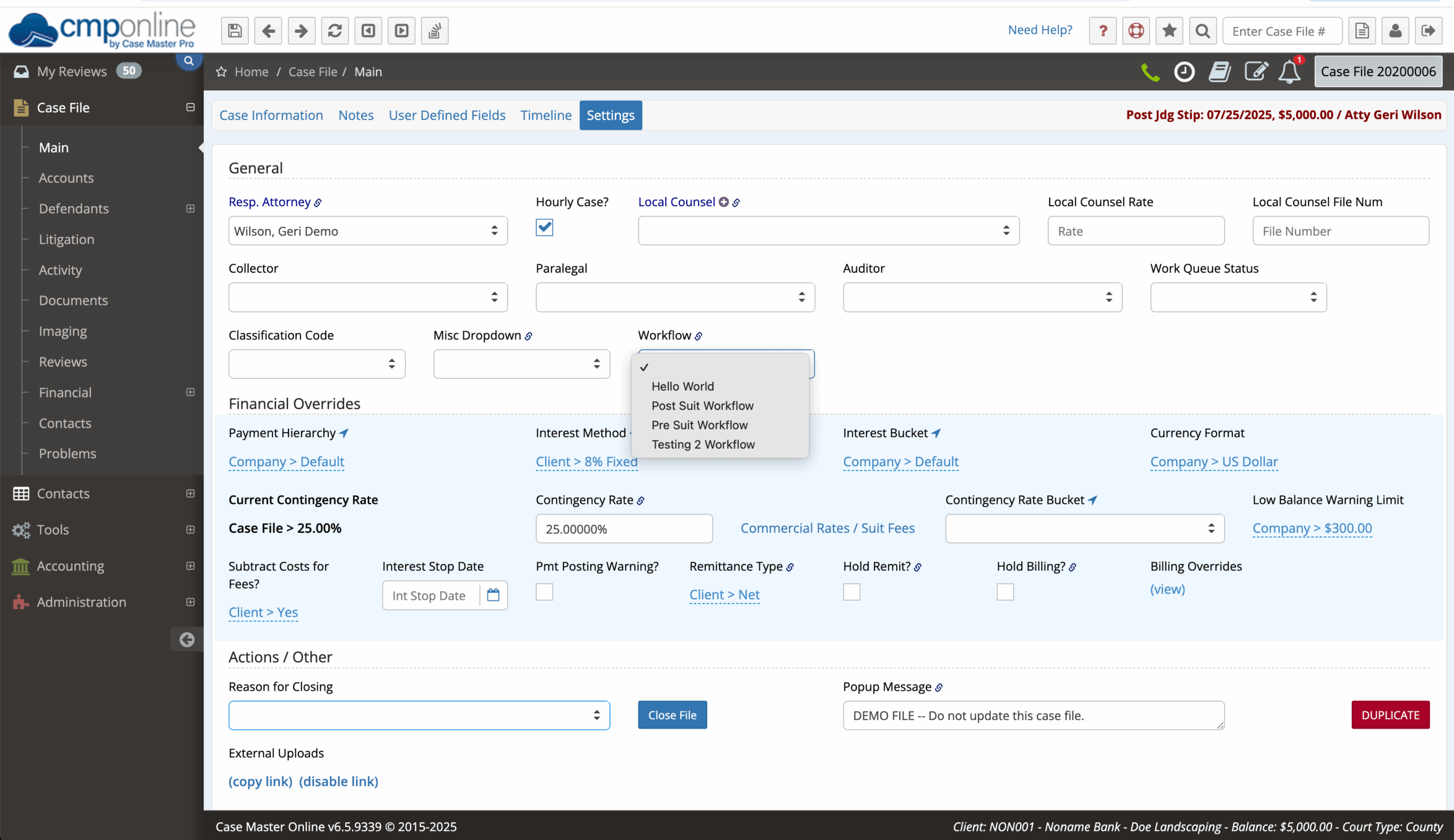
CMPOnline Legal Case Matter Workflows

Case Matter Workflows

In CMPOnline, Workflows provide an easy automation solution to case development. When you first open a case until it closes, workflows allow you to focus on the suit while not worrying about the administrative details. Learn more in our Workflows YouTube video about how Workflows can help you and your firm increase efficiency.

General Navigation Video

A quick tour of CMPOnline for new users and those who want a refresher course, demonstrating the basic menus and features that CMPOnline has to offer.

Follow us on YouTube for more in-depth videos and software demonstrations.

CMPOnline Collection Software is on Youtube
Find CMPOnline On Facebook
CMPOnline is on Capterra
Find CMPOnline On YouTube
CMPOnline is on Linkedin
CMPOnline is Proud Member of the General Bar